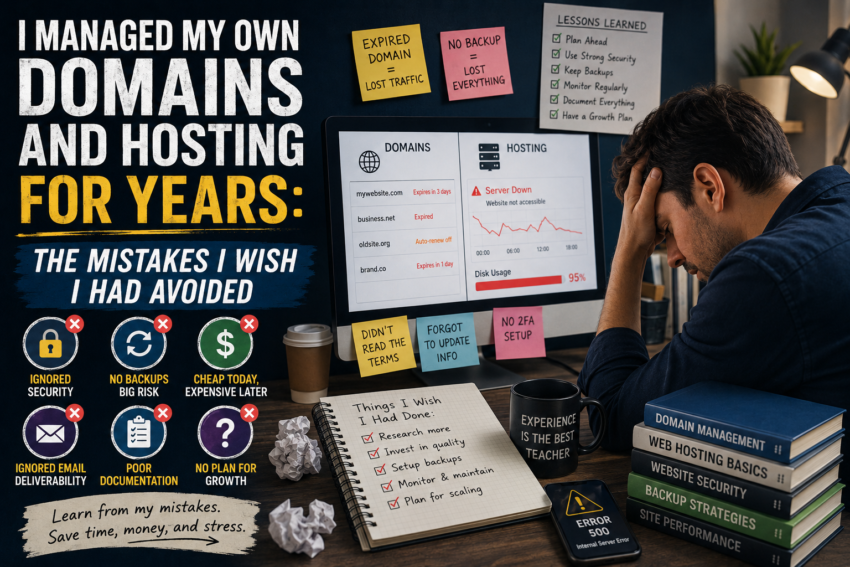
Managing my own domains and hosting accounts sounded straightforward when I started. Register a domain, purchase hosting, connect the two, install a website, and begin publishing. I assumed that once everything was online, most of the difficult work would be finished.
I was wrong.
After years of managing websites, I have learned that domain and hosting management is an ongoing process. Some lessons came from careful research, while others came from mistakes that could have been avoided with better planning.
Looking back, these are the mistakes I wish I had avoided.
I Did Not Keep Good Records
My first mistake was poor organization.
When I only managed one website, remembering the domain registrar, hosting provider, renewal date, and login information seemed easy.
As I added more websites, everything became confusing.
I had multiple domains with different expiration dates and several hosting accounts with different settings.
Eventually, I created a simple record containing the important information for every website.
I tracked domain expiration dates, hosting plans, DNS details, website locations, and renewal status.
That small change made a huge difference.
Lesson: Never rely entirely on memory when managing multiple digital assets.
I Chose Hosting Based Mainly on Price
When I was starting out, cheap hosting was attractive.
I wanted to keep expenses low, so I naturally looked for the least expensive plan that appeared to meet my requirements.
The problem was that advertised prices did not tell the whole story.
As websites grew, resource limitations became more noticeable.
I learned that hosting should be evaluated based on performance, reliability, available resources, support, backups, scalability, and the actual needs of the website.
Saving a few dollars is not particularly useful if a website becomes difficult to manage.
I Ignored Backups Until I Needed One
This was one of my biggest mistakes.
I knew backups were important, but I did not always treat them as a priority.
Then I experienced a situation where having a reliable backup would have made troubleshooting much easier.
That changed my attitude.
Now I think about backups before I need them.
I also learned that simply having a backup option does not necessarily mean I understand how restoration works.
A backup strategy should include knowing where backups are stored, how frequently they are created, and how they can be restored.
I Made DNS Changes Without Enough Planning
DNS was another area where I learned through experience.
At first, DNS records seemed like mysterious technical settings.
I eventually learned what common records do, but I still made mistakes by changing settings too quickly.
A small DNS change can affect website access, email delivery, or other services connected to a domain.
Today, I document existing DNS settings before making significant changes.
If I am moving a website or changing hosting providers, I plan the DNS transition instead of simply changing nameservers and hoping everything works.
I Underestimated Website Migration
My first website migration taught me that moving a website is more complicated than copying files.
A proper migration may involve website files, databases, DNS records, SSL configuration, email settings, and application configuration.
I once assumed that if the files were successfully uploaded, the migration was complete.
That assumption created unnecessary troubleshooting.
Now I use a checklist before moving a website.
I identify what needs to be transferred, what needs to be tested, and what needs to remain unchanged.
I Forgot About Email
Another mistake was focusing so much on the website that I forgot the domain could also be connected to email.
Changing DNS or nameserver settings can affect mail-related records.
I learned to check email configuration before making major domain or hosting changes.
This is particularly important when a domain is used for business communication.
A website being temporarily unavailable is frustrating, but losing access to important email can be even more disruptive.
I Delayed Software Updates
Managing hosting also means managing website software.
I sometimes delayed updates because everything appeared to be working correctly.
Eventually, I realized that “working” and “properly maintained” are not the same thing.
Outdated website software can create security and compatibility concerns.
Today, I try to keep important components updated and test changes when appropriate.
I also avoid making major updates without having a recent backup available.
I Registered Too Many Domains
Another lesson was learning when to say no.
Domain registration is relatively easy, and discovering an interesting domain name can be exciting.
Over time, however, I accumulated domains that had no clear purpose.
Each domain created another renewal date and another item to manage.
I eventually became more selective.
Before registering a domain, I now ask whether I have a realistic project or strategy for it.
This simple question has reduced unnecessary expenses and administrative work.
I Did Not Pay Enough Attention to Renewal Dates
A domain can represent years of work, content, traffic, and branding.
Forgetting its renewal date can create serious problems.
I learned to monitor expiration dates carefully and use automatic renewal when appropriate.
I also make sure payment information associated with important accounts remains current.
The lesson is simple: a domain should never be treated as something you can forget after registration.
I Learned to Document Changes
One habit that has improved my workflow significantly is documenting important changes.
When I modify DNS settings, migrate a website, change hosting, or update an important configuration, I record what I changed and why.
This becomes extremely useful when troubleshooting later.
Without documentation, I might spend time trying to remember what I did several months ago.
With documentation, the answer is usually much easier to find.