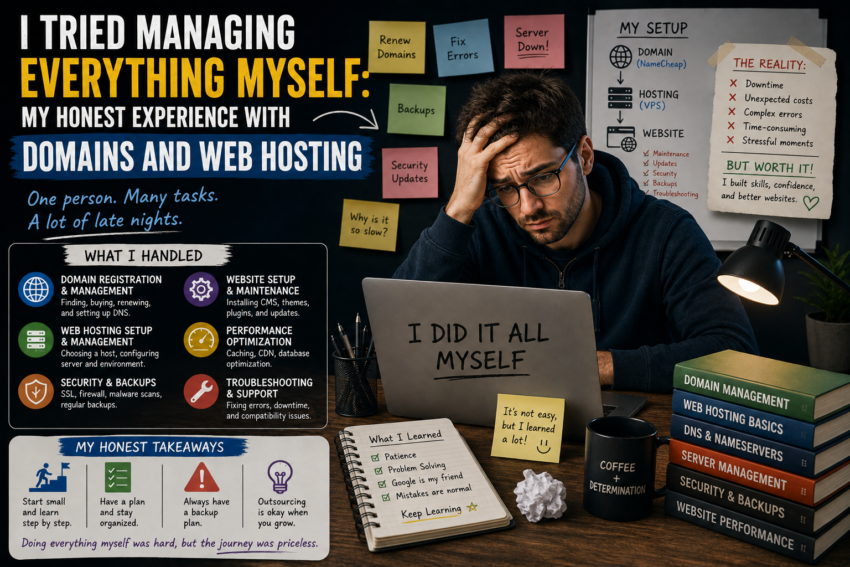
When I started building websites, I wanted to understand everything behind them. I did not want to depend entirely on someone else whenever a domain needed to be connected, a website stopped working, or a hosting setting needed to be changed.
So I decided to manage everything myself.
At first, it seemed like a good idea. I could register domains, choose hosting, configure DNS, install software, create backups, and handle basic maintenance without waiting for outside help.
What I did not expect was how much I would learn from the mistakes along the way.
Starting With a Domain
The first step was registering a domain.
The process itself was surprisingly easy. Finding a name and completing registration took much less time than I expected.
The real learning began afterward.
I discovered that owning a domain was only one part of launching a website. I still needed hosting and had to connect the domain to the correct server.
This introduced me to DNS, nameservers, records, and other concepts I had previously ignored.
At first, the terminology felt complicated.
Eventually, I began to understand how these pieces fit together.
Choosing My First Hosting Plan
My next decision was choosing web hosting.
Like many beginners, I paid close attention to price.
I wanted something affordable that could support my website without creating unnecessary expenses.
The hosting worked well initially, but as I became more familiar with website management, I realized that price was only one factor.
Performance, storage, server resources, backups, support, security features, and scalability could all influence the experience.
That taught me an important lesson: the best hosting plan is not necessarily the cheapest one. It is the one that fits the website’s actual needs.
Learning to Manage DNS
DNS was one of the first technical challenges I faced.
I had heard of nameservers before, but I did not really understand what they did.
I gradually learned about common DNS records and how they could connect a domain with websites, email services, and other systems.
One mistake taught me to be much more careful.
I changed a DNS setting without fully understanding the consequences and then had to troubleshoot why the website was not behaving as expected.
Since then, I have developed a simple rule: document existing DNS settings before making important changes.
That habit has saved me considerable time.
Backups Became Important
Initially, I thought backups were something I could deal with later.
That changed after I began thinking about how much work was actually stored on my websites.
Content, databases, configurations, images, and custom settings can represent months or years of effort.
I started paying closer attention to backup systems.
I also learned that having a backup is not the same as having a reliable recovery plan.
It is useful to know where backups are stored and how restoration works before an emergency occurs.
Managing Updates Myself
Managing everything also meant taking responsibility for updates.
Website platforms, plugins, themes, server software, and other components may require regular maintenance.
I learned that ignoring updates simply because a website appears to be working is not a good long-term strategy.
At the same time, updating everything without preparation can also create problems.
My approach became more balanced: maintain current backups, review important updates, and make changes carefully.
My First Hosting Migration
Moving a website to another hosting provider was one of the most educational experiences.
I initially thought the process would involve copying the website files and changing the DNS.
It turned out to be more involved.
I needed to consider databases, SSL certificates, DNS records, email configuration, application settings, and other dependencies.
The experience taught me to plan migrations using a checklist.
I also learned to test the new hosting environment before considering the migration complete.
Security Was Easy to Ignore
When I was focused on building websites, security was not always at the top of my mind.
Managing everything myself changed that.
I became more aware of strong passwords, account protection, software updates, backups, suspicious activity, and unnecessary services.
I realized that website security is not a single setting.
It is a collection of habits.
The more websites I managed, the more important those habits became.
Managing Multiple Websites Was Different
One website was manageable.
Several websites required a different approach.
Suddenly, I had multiple domain renewal dates, hosting accounts, websites, databases, backups, and configurations to monitor.
I realized that organization was just as important as technical knowledge.
I started maintaining records of important information and documenting major changes.
This reduced the amount of time I spent trying to remember what I had done previously.
Doing Everything Myself Has Advantages
Despite the challenges, managing everything myself has been rewarding.
The biggest advantage is understanding.
When something goes wrong, I have a better idea of where to start looking.
I am also less dependent on someone else for basic tasks.
More importantly, I developed confidence.
Things that once looked intimidating—such as DNS records or hosting migrations—became manageable once I understood the fundamentals.
But Doing Everything Yourself Has Limits
I also learned that independence does not mean doing absolutely everything alone.
Some technical problems can require specialized knowledge.
There are situations where professional support can save considerable time.
Knowing when to ask for help is part of good website management.
Trying to solve every problem personally can sometimes cost more time than the problem is worth.